
Lua tools / PCSX-Redux
Move the camera.
Bring the city with it.
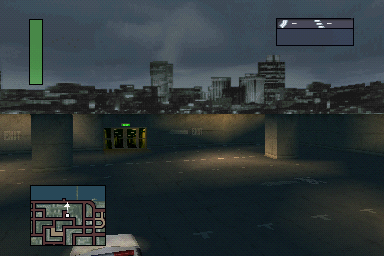
A free camera only sees the area the game has loaded. Player-car follow moves the streaming anchor with us so we can investigate more of the city.
The Lua script library
This page is the home for our exploration scripts. The freecam and player-car follow script is available now; new utilities will be added here as we develop and verify them.
| Script | Purpose | Status |
|---|---|---|
| Worlds-Scariest-Freecam.lua | Free camera movement and optional player-car follow for city streaming. | Working experimental tool · European SLES-03425 |
How it works
The Lua script runs with PCSX-Redux’s interpreter and debugger. Freecam decouples the view from the normal chase camera. The optional car-follow mode updates the canonical player physics position at the game’s integration point, preserving the initial camera-to-car offset.
It was tested across five region IDs and more than 3,500 follow updates, including releasing follow. Mission transitions, vehicle changes and every location have not been tested.
Controls
| Key | Action |
|---|---|
| C | Toggle freecam / return to driving |
| V | Toggle player-car follow while freecam is active |
| W / S | Move forward / backward |
| A / D | Turn left / right |
| Q / Z | Tilt up / down |
| J / L | Strafe left / right |
| U / O | Rise / lower |
| Shift | Extra speed |
| Home | Reset view to the game’s chase camera |
Loading the script
Use your European SLES-03425 disc in PCSX-Redux, choose interpreter mode with the debugger enabled, and enter Free Patrol. In the Lua console, run dofile('path/to/Worlds-Scariest-Freecam.lua') using the downloaded file’s location. Escape shows or hides the emulator menus.
Save states do not mount a disc. Mount the correct CUE before restoring a state; an animated loading icon after travelling may mean the disc is missing. Near road level, disable follow before returning to normal driving.